Qwen/Qwen3-Omni-30B-A3B-Captioner
| Model Name | Description | ||-| | Qwen3-Omni-30B-A3B-Captioner | A downstream audio fine-grained caption model fine-tuned from Qwen3-Omni-...
Model Documentation
Qwen3-Omni

Overview
Introduction
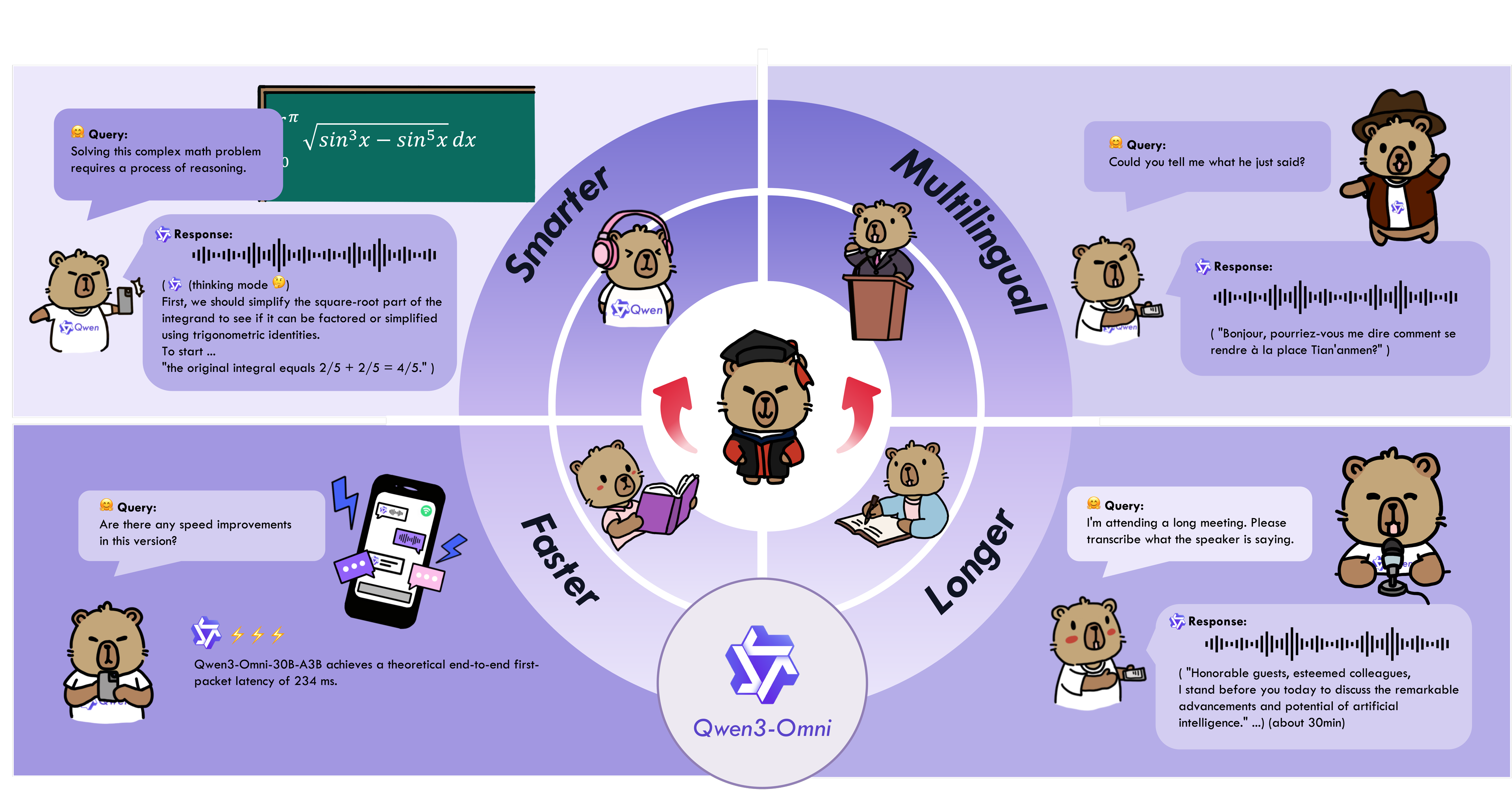
Since the research community currently lacks a general-purpose audio captioning model, we fine-tuned Qwen3-Omni-30B-A3B to obtain Qwen3-Omni-30B-A3B-Captioner, which produces detailed, low-hallucination captions for arbitrary audio inputs.
Qwen3-Omni-30B-A3B-Captioner is a powerful fine-grained audio analysis model, built upon the Qwen3-Omni-30B-A3B-Instruct base model. It is specifically designed to generate accurate and comprehensive content descriptions in complex and diverse audio scenarios. Without requiring any additional prompting, the model can automatically parse and describe various types of audio content, ranging from complex speech and environmental sounds to music and cinematic sound effects, delivering stable and reliable outputs even in multi-source, mixed audio environments.
In terms of speech understanding, Qwen3-Omni-30B-A3B-Captioner excels at identifying multiple speaker emotions, multilingual expressions, and layered intentions. It can also perceive cultural context and implicit information within the audio, enabling a deep comprehension of the underlying meaning behind the spoken words. In non-speech scenarios, the model demonstrates exceptional sound recognition and analysis capabilities, accurately distinguishing and describing intricate layers of real-world sounds, ambient atmospheres, and dynamic audio details in film and media.
Note: Qwen3-Omni-30B-A3B-Captioner is a single-turn model that accepts only one audio input per inference. It does not accept any text prompts and supports audio input only, with text output only. As Qwen3-Omni-30B-A3B-Captioner is designed for generating fine‑grained descriptions of audio, excessively long audio clips may diminish detail perception. We recommend, as a best practice, limiting audio length to no more than 30 seconds.
QuickStart
Model Description and Download
| Model Name | Description | |------------------------------|-------------| | Qwen3-Omni-30B-A3B-Captioner | A downstream audio fine-grained caption model fine-tuned from Qwen3-Omni-30B-A3B-Instruct, which produces detailed, low-hallucination captions for arbitrary audio inputs. It contains the thinker, supporting audio input and text output. For more information, you can refer to the model's cookbook or Hugging Face Demo and ModelScope Demo. |
During loading in Hugging Face Transformers or vLLM, model weights will be automatically downloaded based on the model name. However, if your runtime environment is not conducive to downloading weights during execution, you can refer to the following commands to manually download the model weights to a local directory:
bash
Download through ModelScope (recommended for users in Mainland China)
pip install -U modelscope
modelscope download --model Qwen/Qwen3-Omni-30B-A3B-Captioner --local_dir ./Qwen3-Omni-30B-A3B-Captioner

Download through Hugging Face
pip install -U "huggingface_hub[cli]"
huggingface-cli download Qwen/Qwen3-Omni-30B-A3B-Captioner --local-dir ./Qwen3-Omni-30B-A3B-Captioner
Transformers Usage
#
Installation
The Hugging Face Transformers code for Qwen3-Omni has been successfully merged, but the PyPI package has not yet been released. Therefore, you need to install it from source using the following command. We strongly recommend that you create a new Python environment to avoid environment runtime issues.
bash
If you already have transformers installed, please uninstall it first, or create a new Python environment
pip uninstall transformers
pip install git+https://github.com/huggingface/transformers
pip install accelerate
We offer a toolkit to help you handle various types of audio and visual input more conveniently, providing an API-like experience. This includes support for base64, URLs, and interleaved audio, images, and videos. You can install it using the following command and make sure your system has
ffmpeg installed:bash
pip install qwen-omni-utils -U
Additionally, we recommend using FlashAttention 2 when running with Hugging Face Transformers to reduce GPU memory usage. However, if you are primarily using vLLM for inference, this installation is not necessary, as vLLM includes FlashAttention 2 by default.
bash
pip install -U flash-attn --no-build-isolation
Also, you should have hardware that is compatible with FlashAttention 2. Read more about it in the official documentation of the FlashAttention repository. FlashAttention 2 can only be used when a model is loaded in
torch.float16 or torch.bfloat16.#
Code Snippet
Here is a code snippet to show you how to use Qwen3-Omni-30B-A3B-Captioner with
transformers and qwen_omni_utils:python
import soundfile as sf
from transformers import Qwen3OmniMoeForConditionalGeneration, Qwen3OmniMoeProcessor
from qwen_omni_utils import process_mm_info
MODEL_PATH = "Qwen/Qwen3-Omni-30B-A3B-Captioner"
model = Qwen3OmniMoeForConditionalGeneration.from_pretrained(
MODEL_PATH,
dtype="auto",
device_map="auto",
attn_implementation="flash_attention_2",
)
processor = Qwen3OmniMoeProcessor.from_pretrained(MODEL_PATH)
conversation = [
{
"role": "user",
"content": [
{"type": "audio", "audio": "https://qianwen-res.oss-cn-beijing.aliyuncs.com/Qwen3-Omni/cookbook/caption2.mp3"},
],
},
]
Preparation for inference
text = processor.apply_chat_template(conversation, add_generation_prompt=True, tokenize=False)
audios, _, _ = process_mm_info(conversation, use_audio_in_video=False)
inputs = processor(text=text,
audio=audios,
return_tensors="pt",
padding=True,
use_audio_in_video=False)
inputs = inputs.to(model.device).to(model.dtype)
Inference: Generation of the output text and audio
text_ids, audio = model.generate(**inputs,
thinker_return_dict_in_generate=True)
text = processor.batch_decode(text_ids.sequences[:, inputs["input_ids"].shape[1] :],
skip_special_tokens=True,
clean_up_tokenization_spaces=False)
print(text)
vLLM Usage
#
Installation
We strongly recommend using vLLM for inference and deployment of the Qwen3-Omni series models. Since our code is currently in the pull request stage, you can follow the commands below to install vLLM from source. Please note that we recommend you create a new Python environment to avoid runtime environment conflicts and incompatibilities. For more details on compiling vLLM from source, please refer to the vLLM official documentation.
bash
git clone -b qwen3_omni https://github.com/wangxiongts/vllm.git
cd vllm
pip install -r requirements/build.txt
pip install -r requirements/cuda.txt
export VLLM_PRECOMPILED_WHEEL_LOCATION=https://wheels.vllm.ai/a5dd03c1ebc5e4f56f3c9d3dc0436e9c582c978f/vllm-0.9.2-cp38-abi3-manylinux1_x86_64.whl
VLLM_USE_PRECOMPILED=1 pip install -e . -v --no-build-isolation
If you meet an "Undefined symbol" error while using VLLM_USE_PRECOMPILED=1, please use "pip install -e . -v" to build from source.
Install the Transformers
pip install git+https://github.com/huggingface/transformers
pip install accelerate
pip install qwen-omni-utils -U
pip install -U flash-attn --no-build-isolation
#
Inference
Below is a simple example of how to run Qwen3-Omni-30B-A3B-Captioner with vLLM:
python
import os
import torch

from vllm import LLM, SamplingParams
from transformers import Qwen3OmniMoeProcessor
from qwen_omni_utils import process_mm_info

if __name__ == '__main__':
    vLLM engine v1 not supported yet
    os.environ['VLLM_USE_V1'] = '0'

    MODEL_PATH = "Qwen/Qwen3-Omni-30B-A3B-Captioner"

    llm = LLM(
            model=MODEL_PATH, trust_remote_code=True, gpu_memory_utilization=0.95,
            tensor_parallel_size=torch.cuda.device_count(),
            limit_mm_per_prompt={'audio': 1},
            max_num_seqs=8,
            max_model_len=32768,
            seed=1234,
    )

    sampling_params = SamplingParams(
        temperature=0.6,
        top_p=0.95,
        top_k=20,
        max_tokens=16384,
    )

    processor = Qwen3OmniMoeProcessor.from_pretrained(MODEL_PATH)

    messages = [
        {
            "role": "user",
            "content": [
                {"type": "audio", "audio": "https://qianwen-res.oss-cn-beijing.aliyuncs.com/Qwen3-Omni/cookbook/caption2.mp3"}
            ],
        }
    ]

    text = processor.apply_chat_template(
        messages,
        tokenize=False,
        add_generation_prompt=True,
    )
    audios, _, _ = process_mm_info(messages, use_audio_in_video=False)

    inputs = {
        'prompt': text,
        'multi_modal_data': {},
    }

    if audios is not None:
        inputs['multi_modal_data']['audio'] = audios

    outputs = llm.generate([inputs], sampling_params=sampling_params)

    print(outputs[0].outputs[0].text)
#
vLLM Serve Usage
You can start vLLM serve through the following command:
bash
Qwen3-Omni-30B-A3B-Captioner for single GPU
vllm serve Qwen/Qwen3-Omni-30B-A3B-Captioner --port 8901 --host 127.0.0.1 --dtype bfloat16 --max-model-len 32768 --allowed-local-media-path / -tp 1
Qwen3-Omni-30B-A3B-Captioner for multi-GPU (example on 4 GPUs)
vllm serve Qwen/Qwen3-Omni-30B-A3B-Captioner --port 8901 --host 127.0.0.1 --dtype bfloat16 --max-model-len 32768 --allowed-local-media-path / -tp 4
Then you can use the API as below (via curl, for example):
bash
curl http://localhost:8901/v1/chat/completions \
    -H "Content-Type: application/json" \
    -d '{
    "messages": [
    {"role": "user", "content": [
        {"type": "audio_url", "audio_url": {"url": "https://qianwen-res.oss-cn-beijing.aliyuncs.com/Qwen3-Omni/cookbook/caption2.mp3"}}
    ]}
    ]
    }'
Citation
If you find our paper and code useful in your research, please consider giving a star :star: and citation :pencil: :)
BibTeX
@article{Qwen3-Omni,
  title={Qwen3-Omni Technical Report},
  author={Jin Xu, Zhifang Guo, Hangrui Hu, Yunfei Chu, Xiong Wang, Jinzheng He, Yuxuan Wang, Xian Shi, Ting He, Xinfa Zhu, Yuanjun Lv, Yongqi Wang, Dake Guo, He Wang, Linhan Ma, Pei Zhang, Xinyu Zhang, Hongkun Hao, Zishan Guo, Baosong Yang, Bin Zhang, Ziyang Ma, Xipin Wei, Shuai Bai, Keqin Chen, Xuejing Liu, Peng Wang, Mingkun Yang, Dayiheng Liu, Xingzhang Ren, Bo Zheng, Rui Men, Fan Zhou, Bowen Yu, Jianxin Yang, Le Yu, Jingren Zhou, Junyang Lin},
  journal={arXiv preprint arXiv},
  year={2025}
}
Files & Weights
| Filename | Size | Action |
|---|---|---|
| model-00001-of-00016.safetensors | 3.73 GB | |
| model-00002-of-00016.safetensors | 3.73 GB | |
| model-00003-of-00016.safetensors | 3.72 GB | |
| model-00004-of-00016.safetensors | 3.73 GB | |
| model-00005-of-00016.safetensors | 3.73 GB | |
| model-00006-of-00016.safetensors | 3.73 GB | |
| model-00007-of-00016.safetensors | 3.73 GB | |
| model-00008-of-00016.safetensors | 3.72 GB | |
| model-00009-of-00016.safetensors | 3.73 GB | |
| model-00010-of-00016.safetensors | 3.73 GB | |
| model-00011-of-00016.safetensors | 3.73 GB | |
| model-00012-of-00016.safetensors | 3.71 GB | |
| model-00013-of-00016.safetensors | 3.72 GB | |
| model-00014-of-00016.safetensors | 3.73 GB | |
| model-00015-of-00016.safetensors | 3.73 GB | |
| model-00016-of-00016.safetensors | 3.22 GB |